Use these descriptions and original assets when covering the app. The screenshots contain sample data, not real account activity.
Short description
QuotaBell shows Claude, ChatGPT / Codex, Grok and Antigravity CLI plan limits on your Mac, iPhone and widgets, with percent left and reset countdowns.
Long description
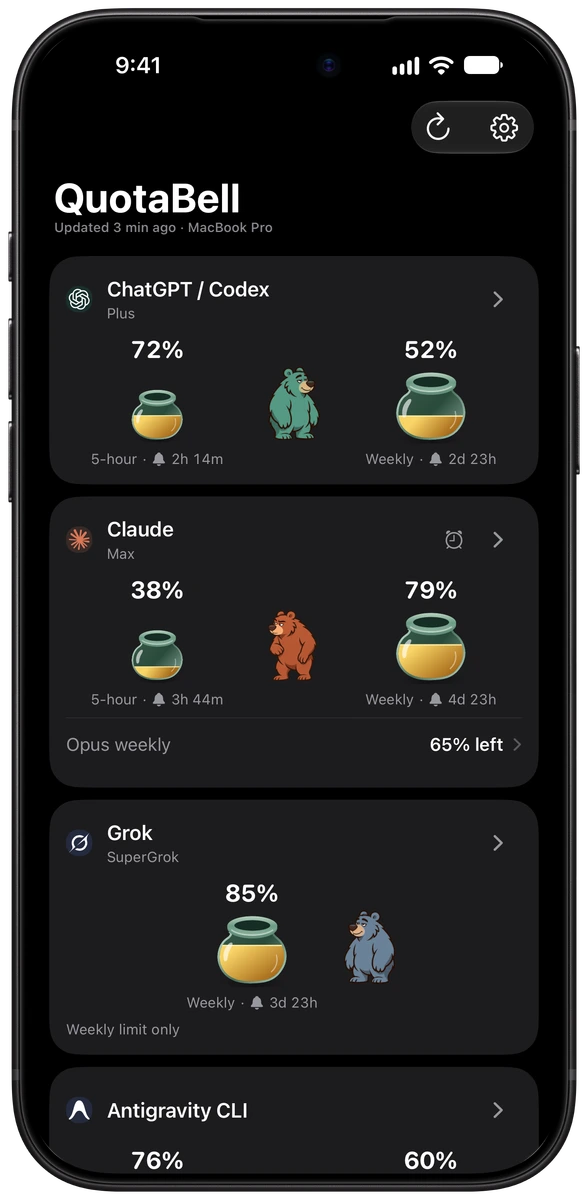
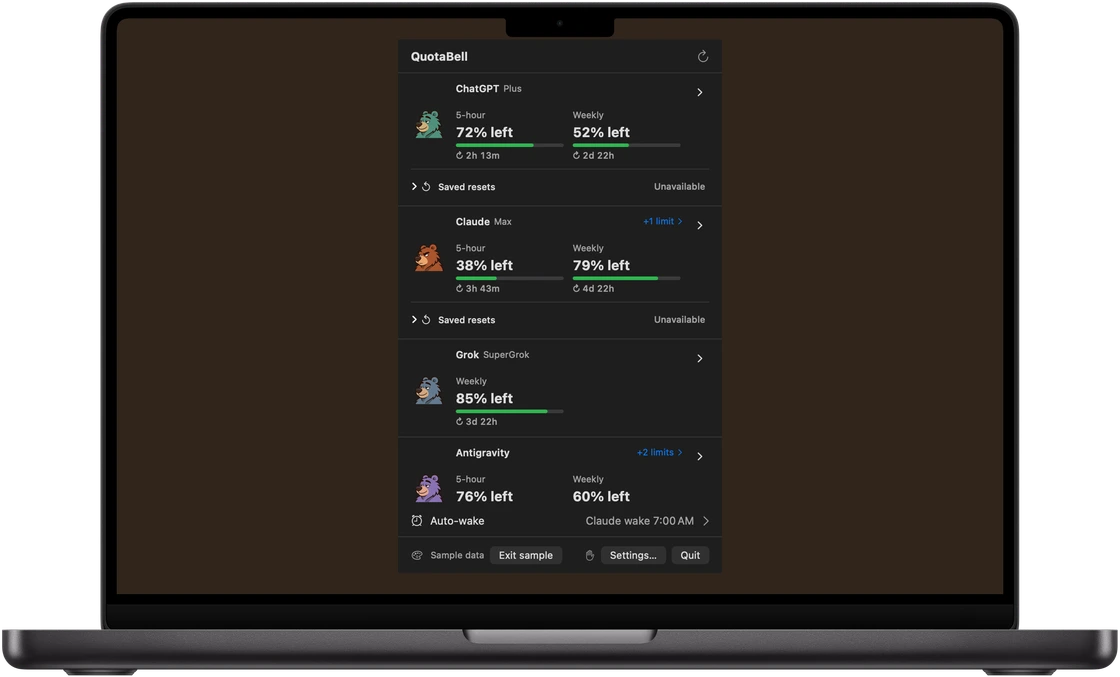
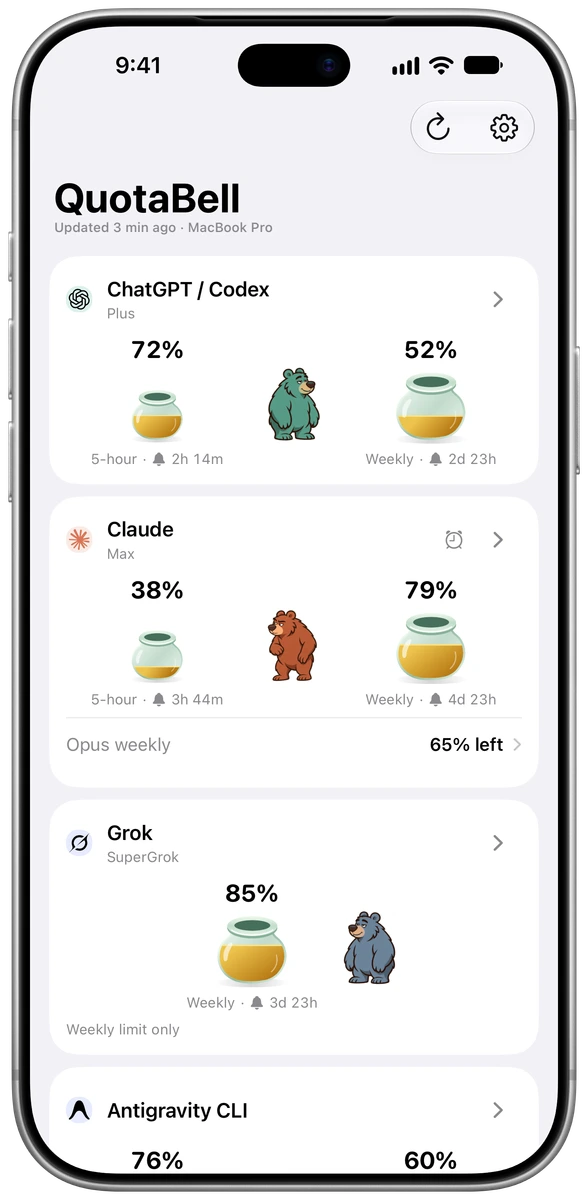
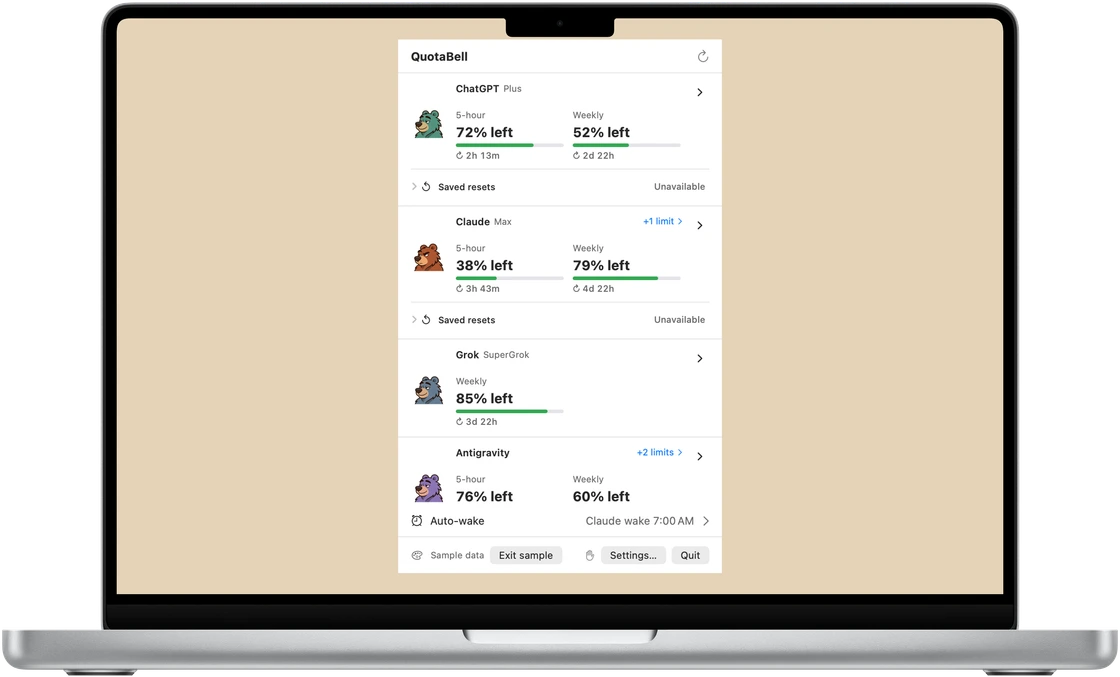
QuotaBell is a free utility for keeping an eye on AI plan limits on iPhone and Mac. On iPhone, honey pots show how much is left and an animated bear follows the tighter limit. It brings reported 5-hour and weekly limits, remaining percentages and reset countdowns into one dashboard and Home and Lock Screen widgets. Grok / SuperGrok has a weekly pool only through the main data source, and Antigravity CLI limits are shown per reported quota group. Accounts can be added, named, reordered and managed in Settings, and optional local alerts warn at 20% and 5% left.
The default, safer data mode uses a free Mac menu bar helper to ask the official CLIs for usage, without reading or storing provider tokens. Quota data and related display metadata sync through the user’s private iCloud. An optional phone-only mode signs in as the providers’ official CLI apps (Google sign-in for Antigravity) and keeps tokens in the iPhone Keychain; it carries provider-policy and account-access risks. Optional Auto-wake can start an idle Claude or Codex 5-hour window through the user’s own Mac CLI and uses plan quota. One-time and scheduled requests share a three-attempt daily limit per provider on each Mac; iPhone shows schedules and results without controlling them. There are no LAZSOL accounts or app servers, ads, analytics or tracking.
App icon

Product images
QuotaBell running with sample data, framed with Apple’s iPhone 18 Pro Max and MacBook Pro product bezels.

Logo usage
You may reproduce the provided QuotaBell icon and screenshots to identify and report on QuotaBell. Preserve the icon’s proportions, colours and contents. Keep it distinct from third-party marks, and do not imply a partnership, endorsement or certification. Refer to the product as “QuotaBell.” The plain-text product name is the website’s wordmark; no separate vector logo is provided. This permission does not grant rights to provider trademarks visible in the app.
Company information
- Product
- QuotaBell
- Company
- LAZSOL AI PTE. LTD.
- Location
- Singapore
- Platforms
- iOS 26 or later; Mac helper on macOS 26 or later
- Price
- Free v1, including the Mac helper
Distribution links are listed in the download section when available. No release date or public availability is asserted by this kit.